
PRINTRIDGE participates in affiliate marketing programs, including but not limited to Amazon Associates. As an affiliate, we may earn a commission from qualifying purchases made through links on this page, at no extra cost to you.

Finally, a Simple Fix for Looking Washed Out on Video Calls
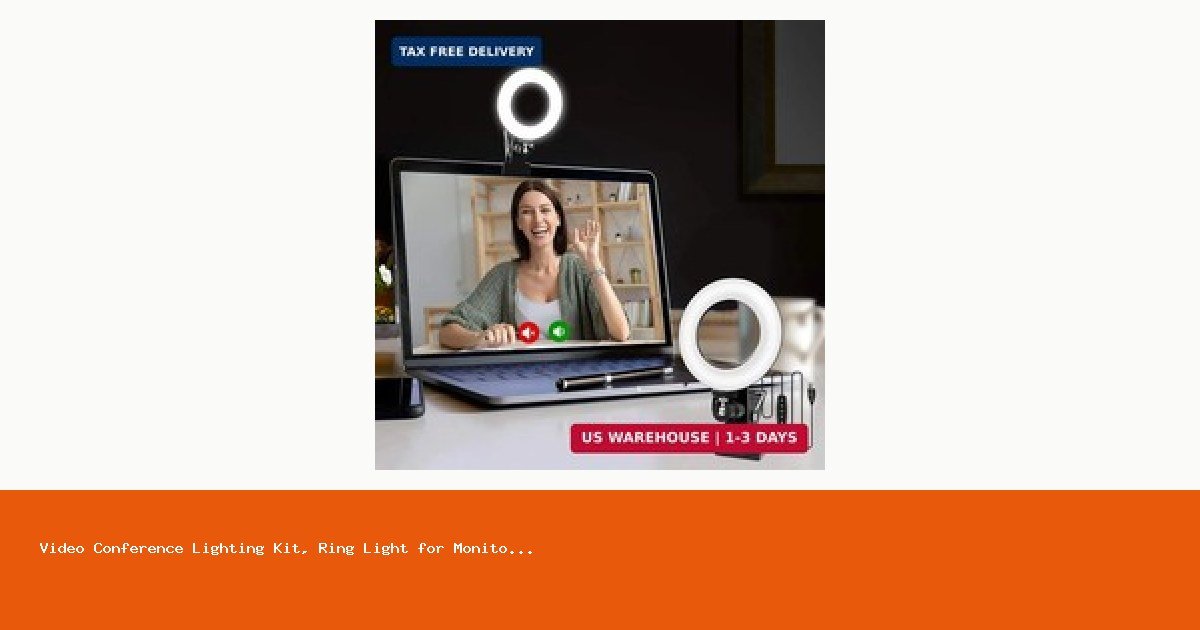
If you’ve ever joined a Zoom meeting and realized you look like you’re broadcasting from a cave — or worse, a fluorescent-lit dungeon — you already know the problem. Most home office lighting just isn’t built for cameras. The Video Conference Lighting Kit Ring Light with Monitor Clip is a low-cost, low-fuss solution designed specifically for remote workers who want to look more professional on calls without buying a photography studio setup. At $31.99, it sits in an interesting middle ground. Let’s look at whether it actually delivers.
Who This Is For
This monitor clip-on ring light is a solid fit for people who:
- Work from home and regularly take video calls via Zoom, Teams, Google Meet, or similar platforms
- Don’t want to invest in a full lighting rig or adjustable floor stand
- Sit near a window or in a room where natural light is inconsistent throughout the day
- Want something that sets up in minutes and stays out of the way
It’s not the right pick for content creators, streamers, or anyone who needs broadcast-quality lighting. For that audience, a more powerful LED panel or a larger ring light on a stand would be more appropriate.
Clips Directly to Your Monitor — No Stand Required
The defining feature of this lighting kit is the monitor clip mount. Instead of taking up desk space with a tripod or stand, the ring light attaches directly to the top of your monitor or laptop screen. This keeps your workspace clean and positions the light roughly at eye level — which is exactly where you want it for video calls. The clip design is straightforward to attach and remove, making it easy to pack up if you switch between workspaces.
Designed Specifically for Video Conferencing
Unlike general-purpose ring lights, this one is marketed explicitly as a video conference lighting kit for remote work. That focus matters. The light is sized and positioned to illuminate your face evenly during calls without overwhelming the frame or creating harsh shadows. If your current setup leaves you looking dim, backlit, or uneven on camera, a clip-on light like this addresses the root cause directly and consistently.
Affordable Entry Point for Remote Work Lighting
At $31.99, this is one of the more budget-friendly options in the monitor clip ring light category. For remote workers who want a meaningful upgrade to their video call appearance without committing to a larger lighting investment, the price point makes it easy to justify. It’s the kind of purchase that pays for itself quickly if video calls are a regular part of your workday.
Pros and Cons
Pros
- Clips directly to monitor — no desk space consumed
- Purpose-built for video calls and remote work use cases
- Affordable at $31.99 compared to larger ring light setups
- Easy to set up and reposition as needed
- Keeps your on-camera appearance consistent regardless of room lighting changes
Cons
- Light output is limited compared to larger or more powerful LED panels — not suitable for content creation or streaming
- No detailed specs are published for brightness levels, color temperature range, or battery vs. USB power, which makes it harder to compare directly against competitors before buying
- The clip design may not fit securely on very thin laptop bezels or unusually thick monitor frames
- At this price, build quality and durability over time are reasonable concerns — it likely won’t feel as solid as a premium unit
- If you need lighting that covers a wider area or multiple people in frame, this single clip-on light won’t be enough
Verdict: A Practical, No-Fuss Upgrade for Video Calls in 2026
The Video Conference Lighting Kit Ring Light with Monitor Clip does one thing well: it puts consistent, focused light on your face during video calls without cluttering your desk or requiring any complicated setup. For remote workers in 2026 who spend a meaningful portion of their day on camera, that’s a genuinely useful improvement at a reasonable price.
Just go in with clear expectations. This is a practical tool for looking better on calls — not a content creator kit. If that’s what you need, it’s worth a look. If you need more power, more control, or more durability, budget up accordingly.
Check the current price and availability on Amazon to see if it fits your setup.






Leave a Reply